Most traders already do their analysis on TradingView. So why not trade from there too? With a simple setup, you place your trades on TradingView charts and they’re copied to your Alpine Funded account automatically.
This guide explains how it works and how to set it up in a few minutes.
Key takeaways
- Trade on TradingView with a free MT5 demo account from a broker that connects to TradingView.
- A trade copier copies every trade to your Alpine Funded account.
- Trade copiers are allowed on all Alpine Funded challenges and on Alpine Pass.
How does it work?
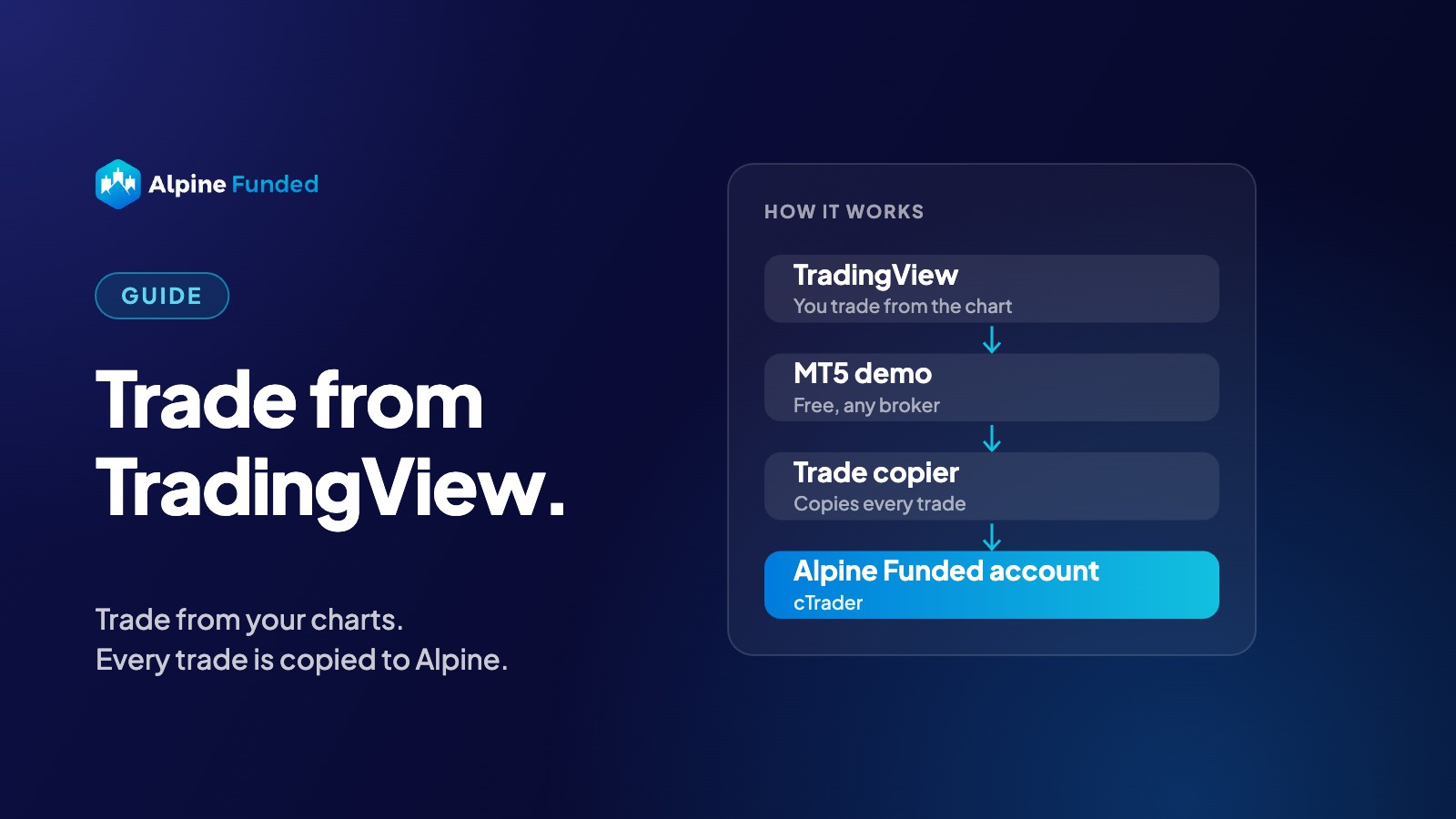
It takes three pieces:
- TradingView, where you trade, right from the chart.
- A free MT5 demo account at a broker that connects to TradingView. Your TradingView trades go into this demo.
- A trade copier, which copies every trade from the MT5 demo to your Alpine Funded account.
You only ever look at TradingView. The rest runs in the background.
Good to know: only your Alpine Funded account counts. Your results, rules and rewards are based on the trades in your Alpine Funded account.
How do I set it up?
- Open a free MT5 demo at a broker that works with TradingView. Many brokers connect to TradingView, Pepperstone is one example. Ask for an MT5 demo account you can trade from TradingView. Tip: choose the same balance as your Alpine Funded account.
- Connect the broker in TradingView. Open a chart, click Trade at the bottom, pick your broker and log in. You can now open and close trades straight from the chart.
- Connect a trade copier. Log in to your MT5 demo and your Alpine Funded account in the copier. You’ll find your cTrader login in your dashboard. The copier takes care of the details, like matching symbols between the two accounts.
- Place a small test trade. Open a tiny trade on TradingView and check that it shows up in your Alpine Funded account. Done.
Which trade copier should I use?
Any copier that copies from MT5 to cTrader works. Popular options:
| Copier | Price (approx.) | Best for |
|---|---|---|
| Copiix | Free | Trying it out on your own Windows PC |
| Duplikium | ~€9 per account / month | Cloud copier, nothing to install |
| Traders Connect | ~$10 per account / month | Cloud copier, official cTrader partner |
| Heron Copier | ~$19 / month | Cloud or PC, 7-day trial |
For TradingView traders, a cloud copier is usually the easiest choice: it is always online, even when your computer is off.
Prices are set by the providers and can change. Alpine Funded isn’t affiliated with these tools.
Why do traders like this setup?
- Trade where you analyse. No switching between apps.
- Your own layouts. Keep your drawings, indicators and alerts.
- Works on any device. TradingView runs in the browser, on Mac, Windows and on your phone.
Is this allowed?
Yes. Trade copiers are allowed on all Alpine Funded challenges and on Alpine Pass. Just copy your own trades: no signals from other traders, no opposite trades across accounts, and no one else trading your account.
FAQ
Do I need a paid TradingView plan?
Usually not. Trading from the chart works on the free plan with most brokers.
Do I need a paid broker account?
No. A free MT5 demo account is enough.
Prefer to trade on MT5 itself?
That works too. Read our guide: How to Use MT5 With Your Alpine Funded Account.
Bottom line
If you already live on TradingView, you can trade your Alpine Funded account from there too. Open a free MT5 demo, connect it to TradingView, add a copier, and trade straight from your charts. Ready? Choose your account.
Alpine Funded provides a simulated trading environment for educational and evaluation purposes. Rewards may be performance-based. Third-party tools and brokers mentioned are not affiliated with or endorsed by Alpine Funded. Prices as of November 2026 and set by the providers.